Honeypot anti-spam for Discord

Spam bots ban themselves.

MadHoney doesn't try to recognize spam. It wires up your server so only a bot would ever trigger the trap. Humans click Verify, read a captcha, and get in. Bots post in the decoy channel and get banned, messages wiped, before anyone wakes up.

10
servers protected
19
spammers trapped
~5 min
to full setup
See live stats →

Why it matters

One bot. Unread dots everywhere.

A spam bot never posts just once. It blasts every channel it can reach and tries to ping @everyone on the way through. Every message lights up that channel with an unread marker, and here's the part that stings: ban the bot and delete the spam, and those unread dots usually stay. You come back to a whole server flagged with "new messages" for spam nobody should have seen. MadHoney's job is to stop that before it starts - to catch the bot in one place, before it can touch the rest of your server.

The mechanism

Three moves. Zero guesswork.

01

Gate

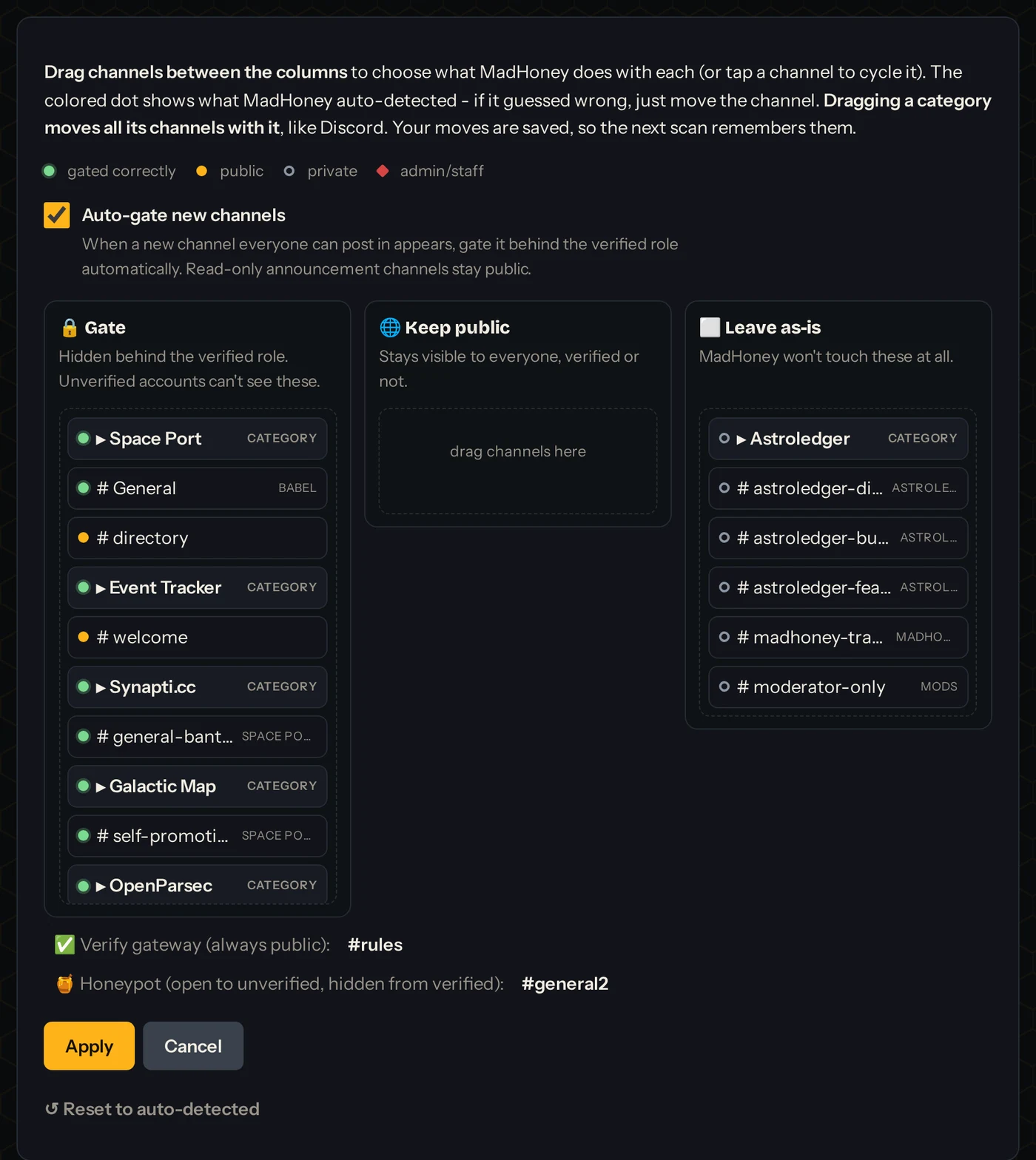
Every channel is hidden behind a verified role. A new account sees exactly two things: your rules channel… and one decoy.

02

Verify

Humans click Verify, read an image captcha, type the code, and the whole server unlocks. Takes about ten seconds. No DMs, no third-party site.

03

Trap

The decoy is named like a real channel (#general-2) and it's the only place an unverified account can post. Spam bots post everywhere they can, so they post there first. Instant ban, plus their last 7 days of messages get deleted. Verified humans never even see it.

The thinking

Bots aren't smart. That's the whole plan.

🚪

They post anywhere

A spam bot doesn't pick targets. It dumps its message in every channel it can see and pings @everyone if it can. Gate everything behind the verified role and the only door left open is the honeypot.

🎣

The name is the bait

Name the decoy like a normal channel (general-2, chat-2) and an indiscriminate bot walks straight in. It looks like just another place to spam.

🖼️

They can't read the warning

The honeypot's only content is an image. A human reads "don't post here" and backs off; a bot can't parse a picture, so it posts anyway and trips the trap.

🙈

No human gets caught

The verified role hides the honeypot from everyone who passed the captcha. Real members never even see the channel, so the only thing that ever lands in it is a bot.

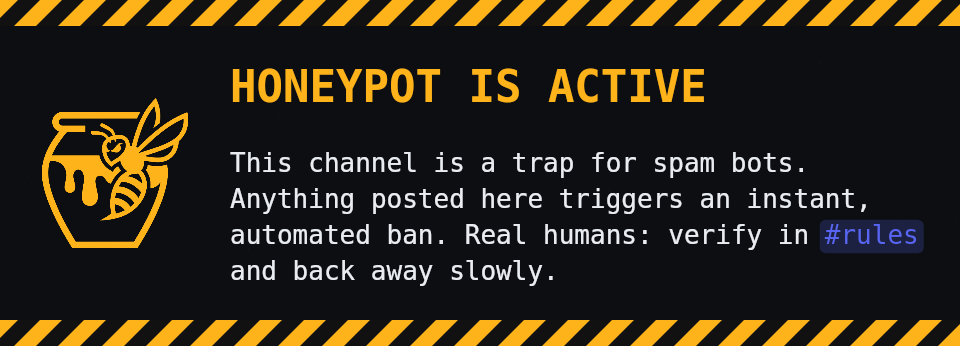
Example honeypot warning banner generated by MadHoney
Banner designer

No human has an excuse.

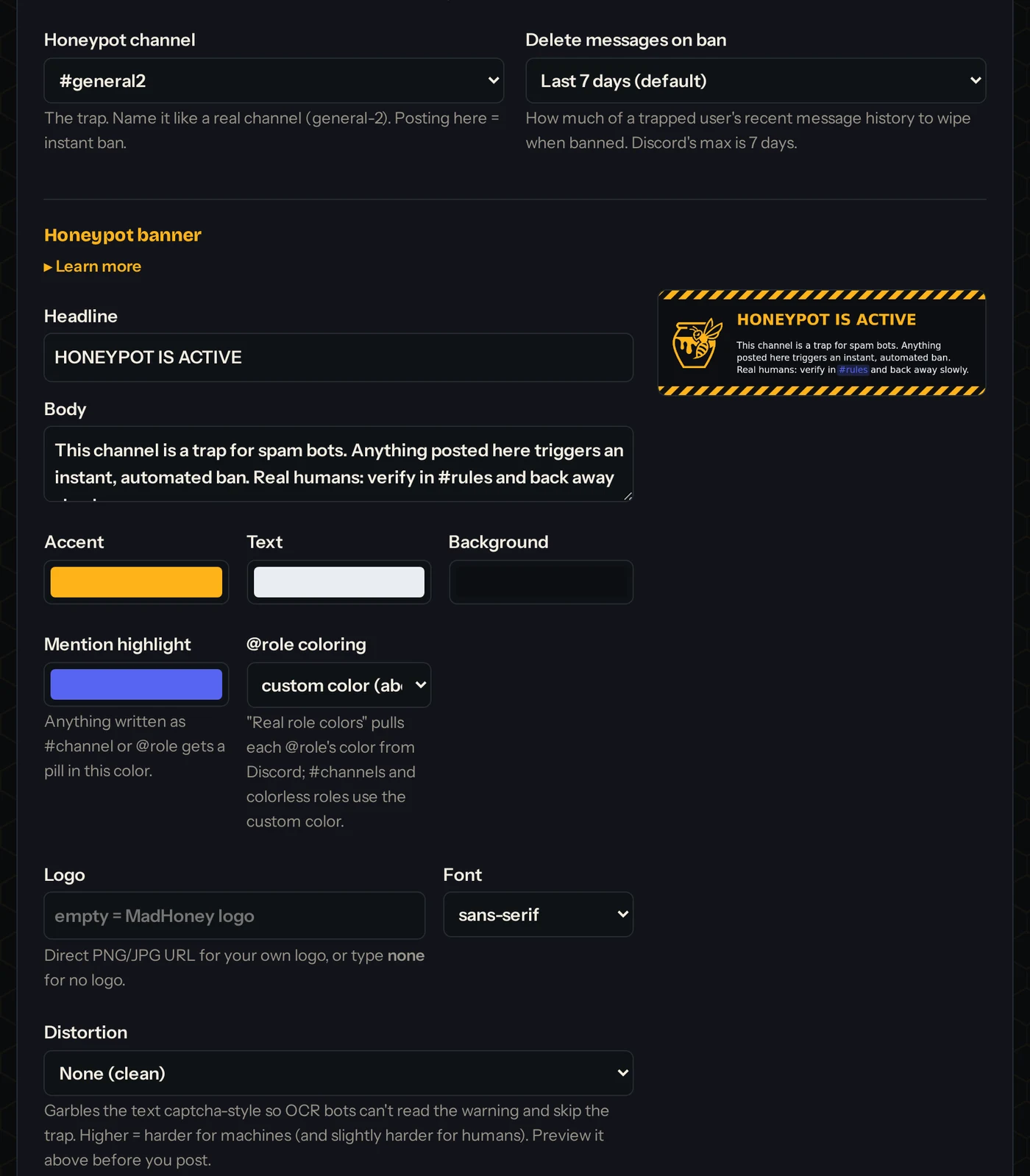
MadHoney generates the hazard banner that sits pinned in the honeypot: your headline, body text, colors, fonts, even your community's logo. Design it with /madhoney banner or in the dashboard. The one you're looking at is rendered live by the bot.

Everything included

Small wasp, quick sting.

🧭

One-command setup

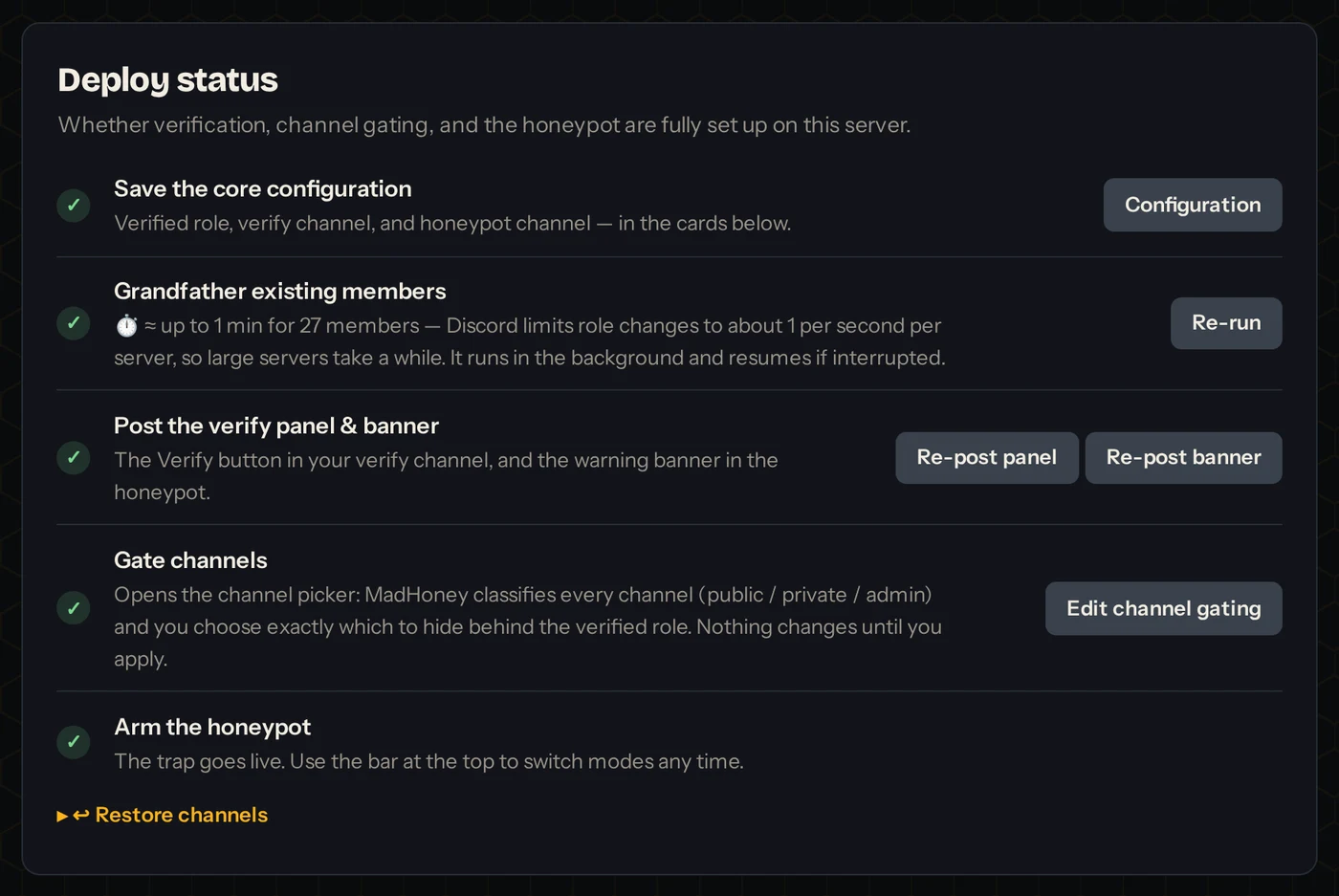
/madhoney setup walks you through role and channel pickers, then /madhoney deploy grandfathers existing members, posts the panels, and gates your channels. There's a dry-run before anything changes.

🧾

Mod-log with Undo

Every ban is reported to a staff channel: who, when, and what they posted. One-click Unban button if a curious human tripped the wire.

🌐

Universal ban list

Every honeypot catch, across every server, lands on one list. Opt in and known spammers are banned the moment they join yours (or all at once with Ban from List). Opt out anytime - your own catches stay yours. An Undo removes a user from the list everywhere.

🕶️

Doesn't read your messages

The trap fires on where a message was posted, never on what it says. No external database, no analytics. Staff and owners are always exempt.

🖥️

Web dashboard

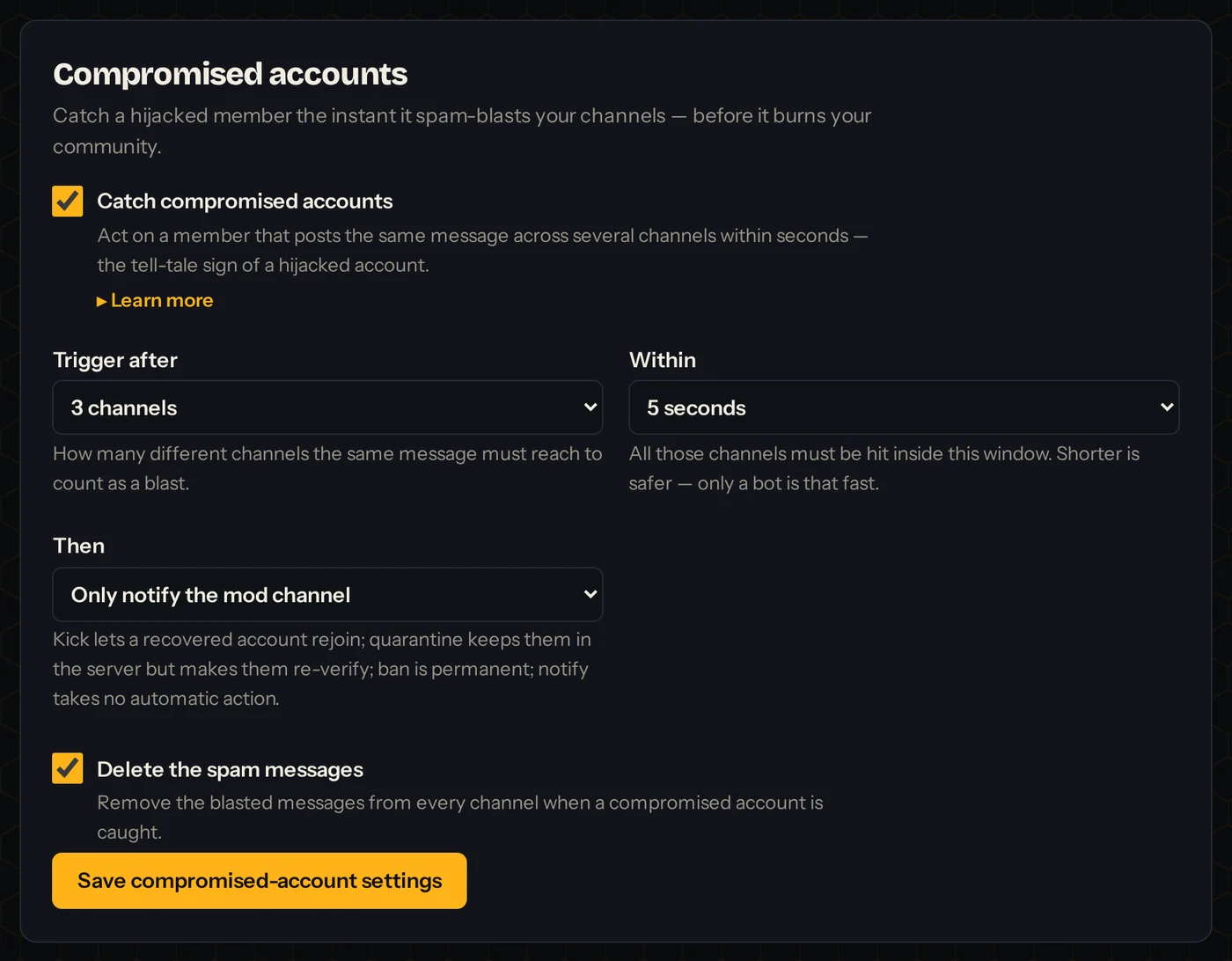
Log in with Discord and manage any server where you have Manage Server: config, verify message, banner designer, deploy actions, and the ban log.

🛠️

Source Available

Read it, fork it, self-host it. One Node process, three files of state. github.com/nomadsgalaxy/MadHoney · OCL v1.1 + SWAtt.

Get started

Armed in five minutes.

  1. Invite MadHoney and grant the requested permissions.
  2. Create a Verified role (MadHoney's role must sit above it) and a decoy channel like #general-2.
  3. Run /madhoney setup and pick the role, your rules channel, the decoy, and an optional staff log channel.
  4. Run /madhoney deploy and click through: grandfather → post panels → gate (dry-run, then apply).
+ Add MadHoney to your server or set it up from the dashboard
⚠️Using Discord Onboarding? Make sure it does NOT auto-grant the verified role, otherwise the captcha is a decoration.
A note on accessibility. A honeypot is a visual trap, and members who rely on text-to-speech or a screen reader can't always tell a decoy from a real channel. We don't recommend honeypot anti-spam for servers that cater to visually impaired communities. If you run one anyway, it's imperative that your rules state plainly that a honeypot channel exists and which channel it is, so TTS users hear the warning too. A human who trips it can always be unbanned from the log channel, but don't let your most vulnerable members be the ones who find the tripwire.